
Skip to main content
How Can We Help?
How to Add Budget?
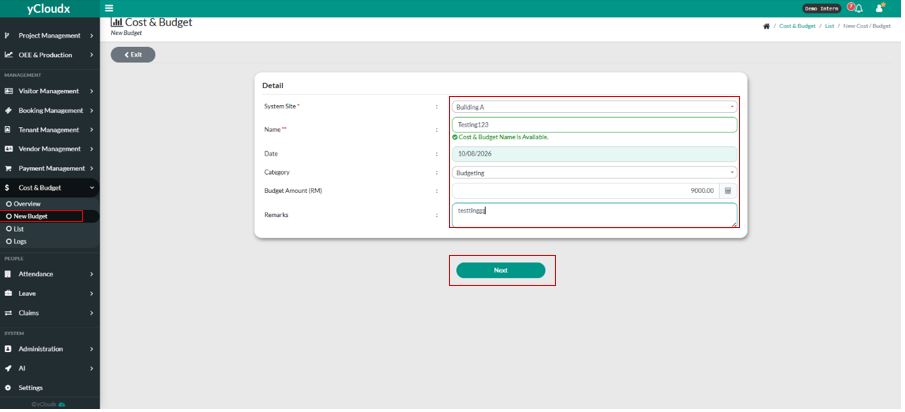
- Proceed Cost & Budget > New Budget.
- User must make a selection from the given system site.
- User need to insert the name. The name must be unique.
- User need to choose a date.
- User also need to choose a category, it will have selection for user to choose.
- User need to fill in the budget amount (RM).
- User can put in the remarks if user wants to.
- User click the button “ Next “ to go to the next page.
- It will pop up a message notification “New Budget & Cost has been created”.
