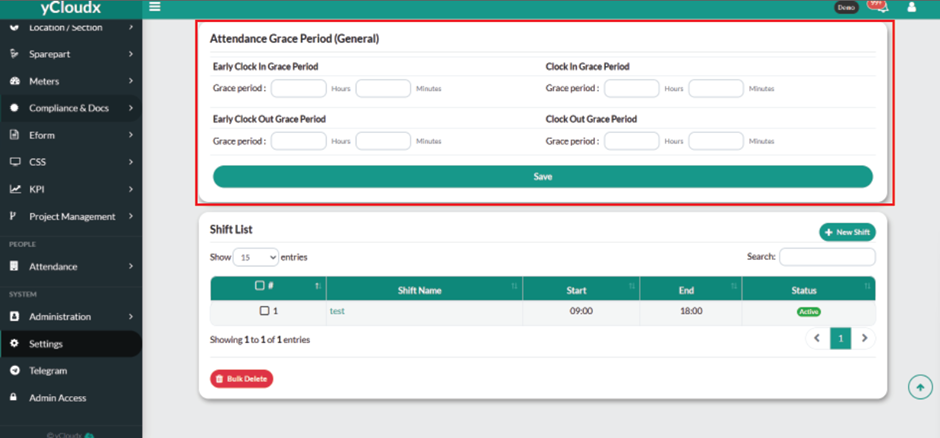
Enter the preferred value for the Early Clock In Grace Period (Hours and Minutes). This defines how early employees are allowed to clock in before the scheduled start time.
Enter the preferred value for the Clock In Grace Period (Hours and Minutes). This defines how late employees are allowed to clock in after the scheduled start time.
Enter the preferred value for the Early Clock Out Grace Period (Hours and Minutes). This defines how early employees are allowed to clock out before the scheduled end time.
Enter the preferred value for the Clock Out Grace Period (Hours and Minutes). This defines how late employees are allowed to clock out after the scheduled end time.