How Can We Help?
How to return stock out?
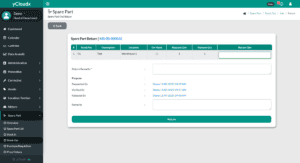
- Proceed to Spare Part> Stock Out > Request Status > Closed > Return
- Once the part selected, details about the spare part will be shown
- Check all the details
- Enter “Return Qty” and “Return Remarks” so that all users are notified about the returned spare parts.
- Submit the form by clicking the “Return” button and it will change the status to “Closed – Return”