
Skip to main content
How Can We Help?
How to set notification for each asset?
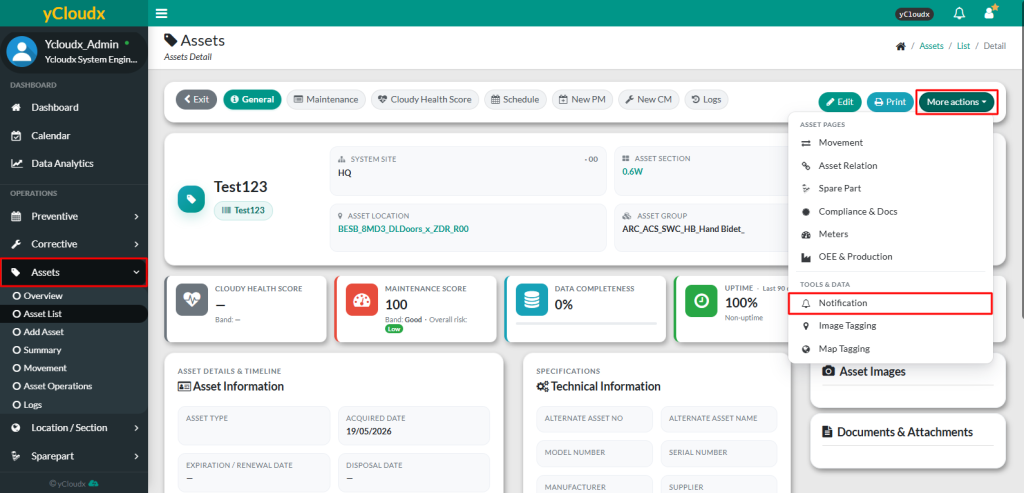
- Proceed to Assets > Asset List
- Select the asset to set the notifications
- Click More Actions button
- Select Notification from the list and user will be directed to the second page
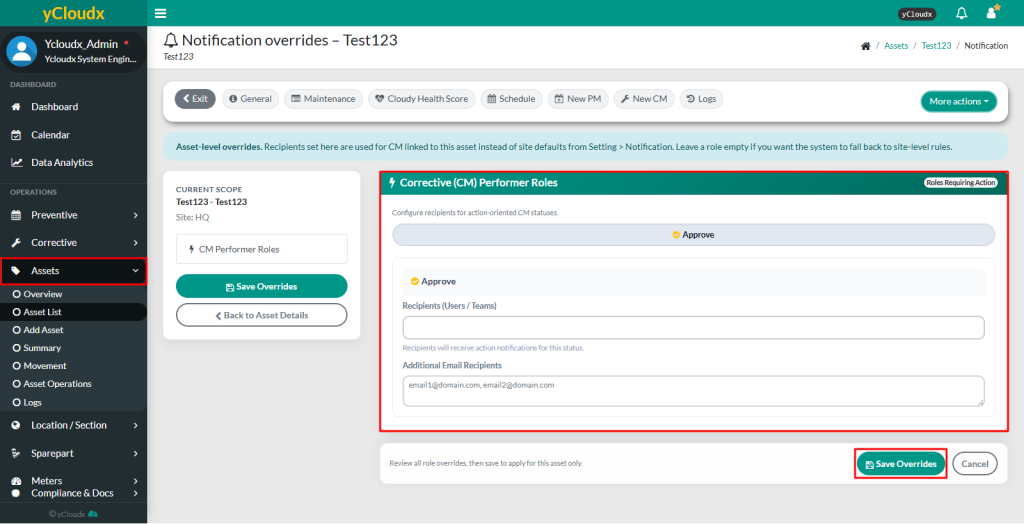
- User need to set the notification recipients for the asset
- Select Users / Team who would receive notifications
- Add Additional Email Recipients by entering their email addresses
- Click Save Overrides to apply the notification settings to the selected asset
