
Skip to main content
How Can We Help?
How to Create Delivery Order
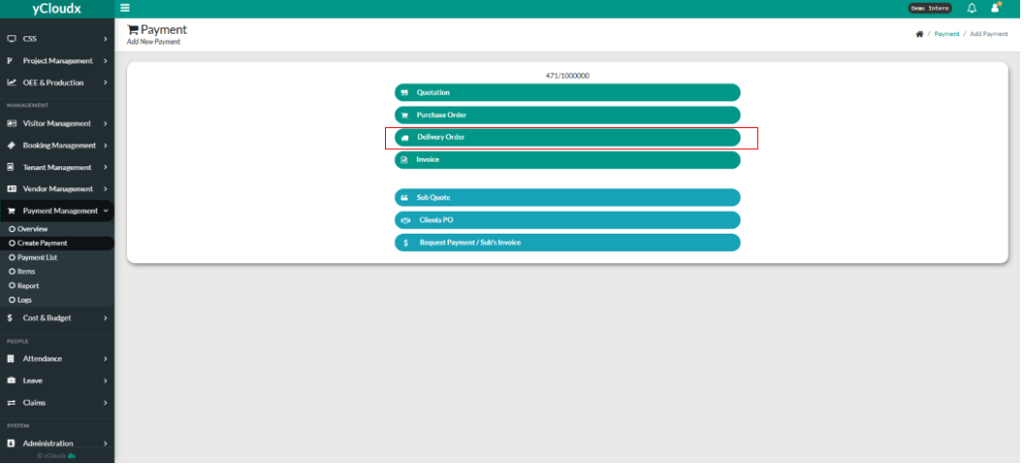
- Proceed Payment Management > Create Payment
- Click button “ Delivery Order“
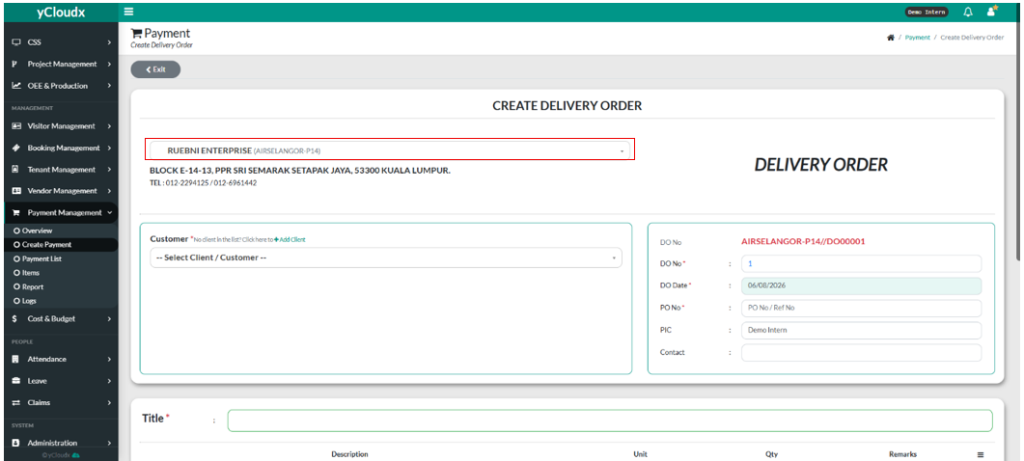
- User need to fill in company name in the text box
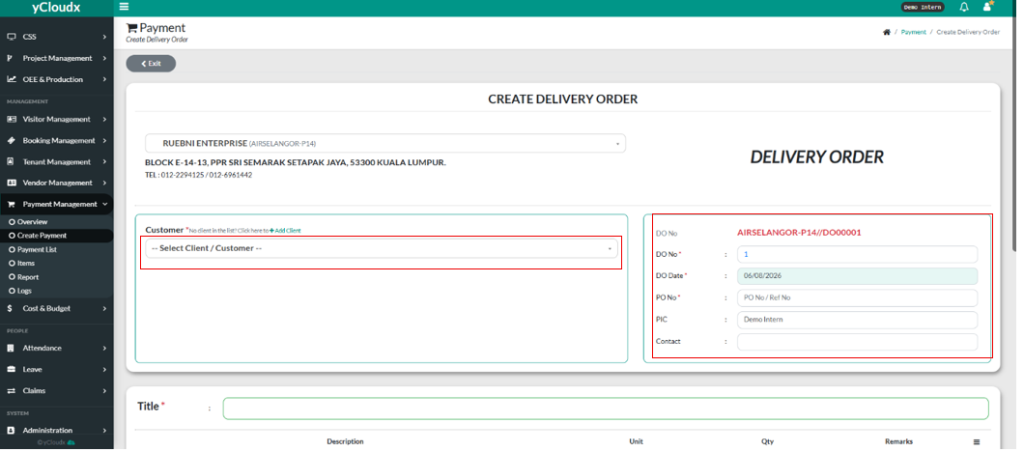
- User need to select the customer in the drop down list by clicking it.
- User need to fill in the details of DO number, DO Date, PO number, PIC, and also Contact.
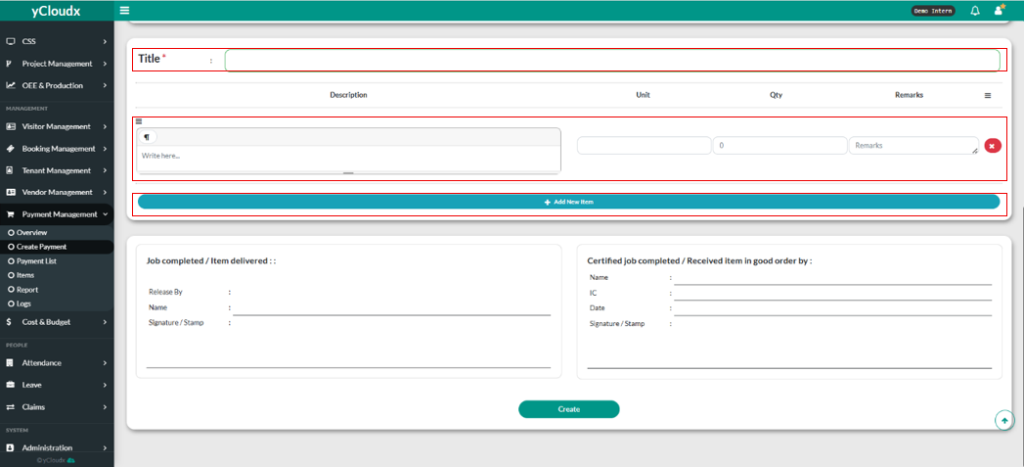
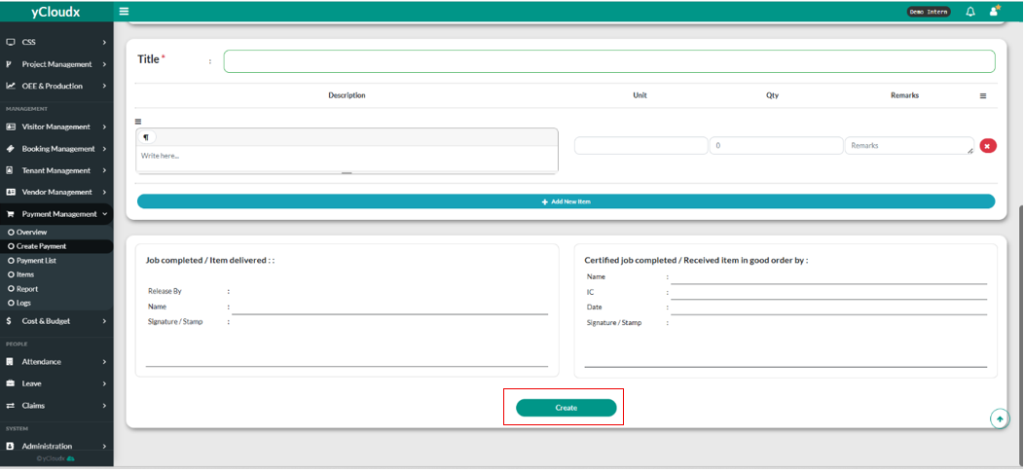
- User need to fill in title in the “ Title “ text box.
- Then, user need to fill in the Description, Unit, Qty ( Quantity ) and also Remarks in their text box.
- User also can add new item by clicking “+Add New Item” button.
- Lastly, user click the “Create” button to create delivery order.
