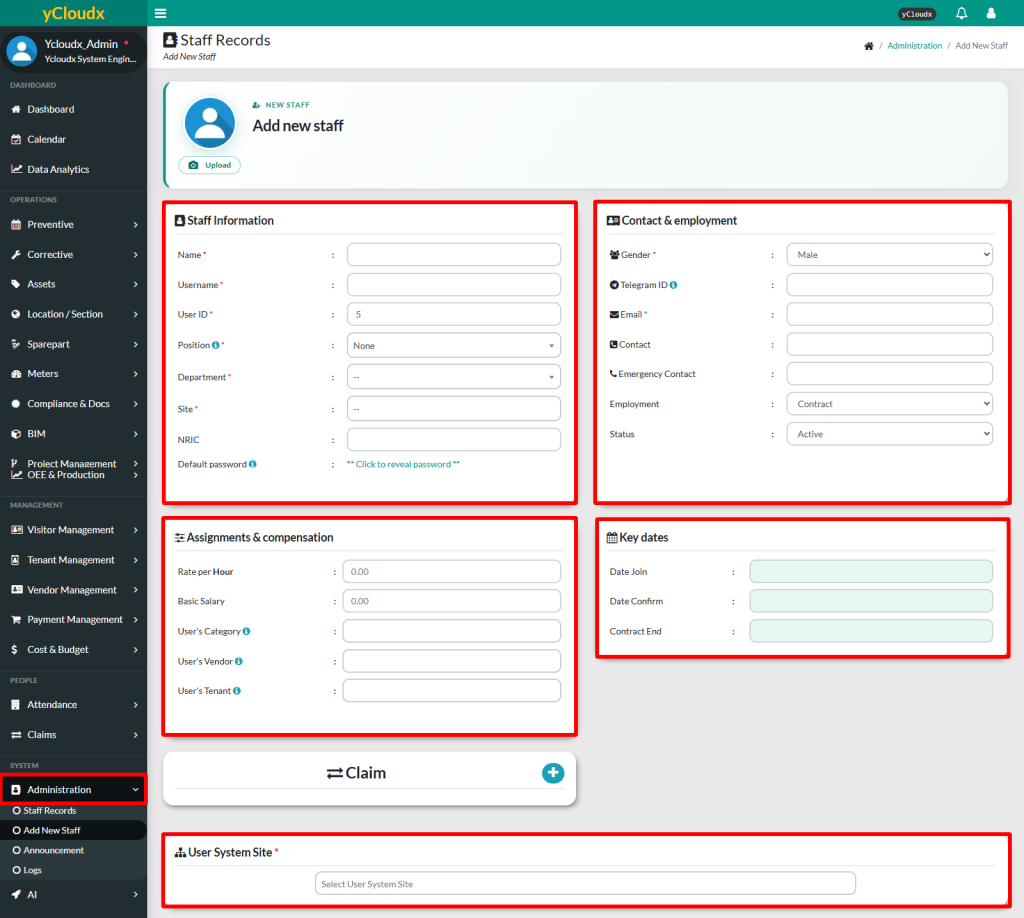
The required fields are in Staff Details, including Name, Username, Position, Department and Size.While other fields are optional, but it is recommended to fill in all details
Nickname must be unique from other users
All new users will have a default password which is pass@ycloudx
Admin must select the User System Site for each user
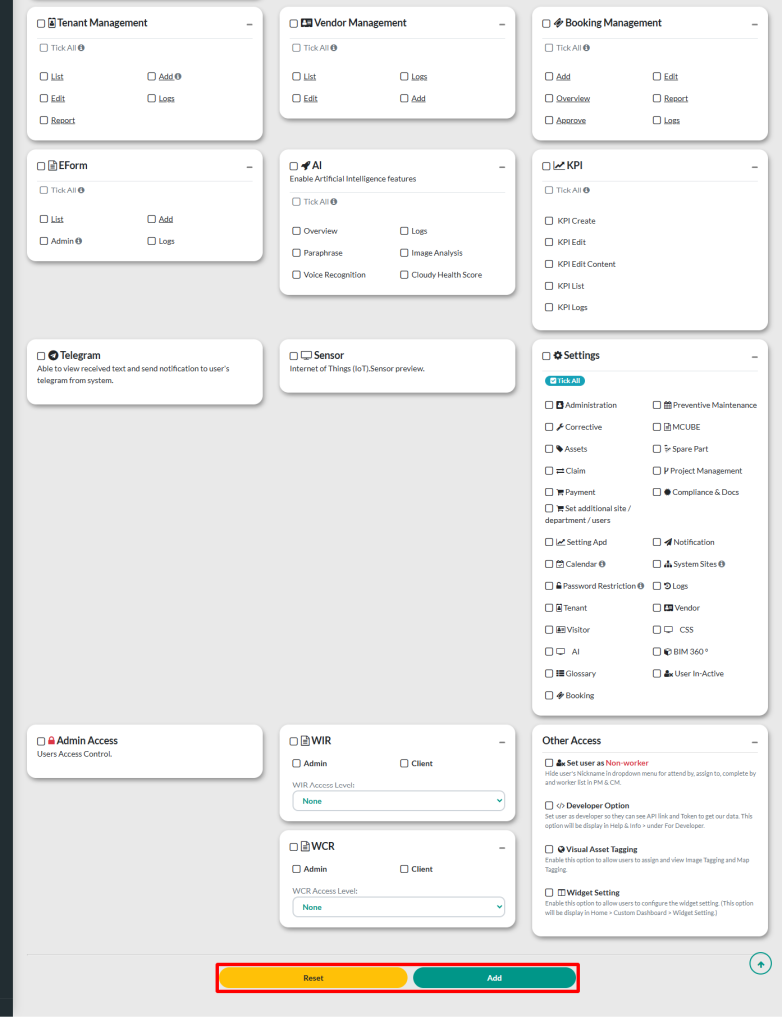
Select access control based on user’s position and job responsibilities
Click Add button to submit the new staff once all the necessary information is filled in or Reset to cancel the process