
How Can We Help?
How to add, update or delete department?
To add new department
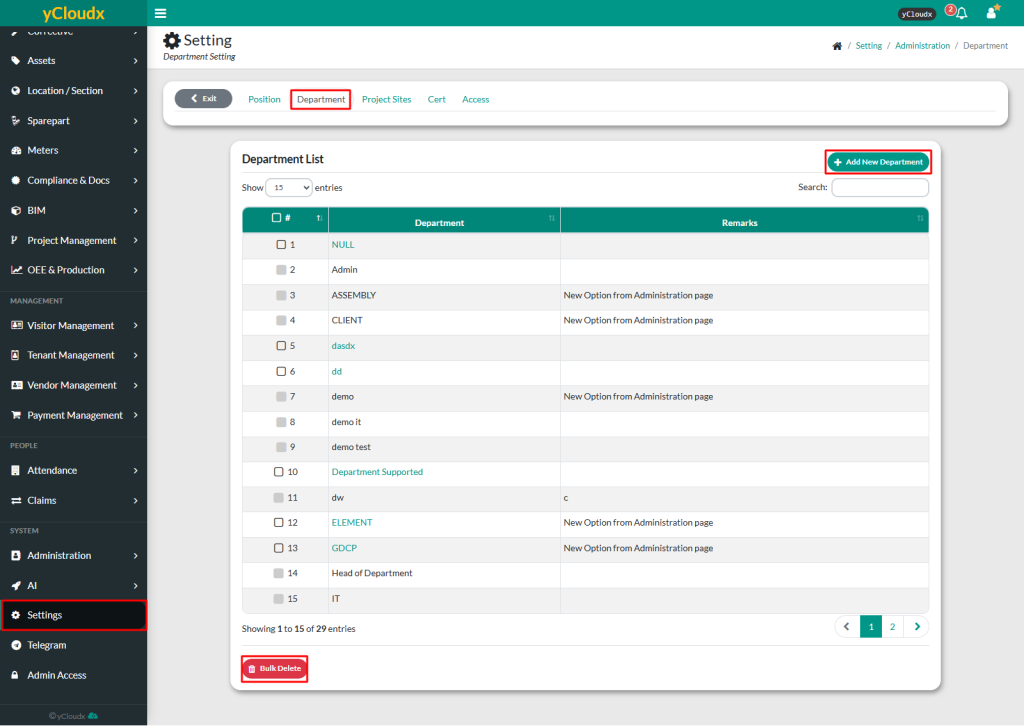
- Proceed to Setting > Administration > Department
- Insert new department details and provide remarks if needed.
- Click Add, and the new department will be added to the list
To update or delete department
- Proceed to Setting > Administration > Department
- Select department to be updated or deleted
- Click Update to modify the details or Delete to remove it from the list
- To delete multiple departments at once, select the department and click Bulk Delete
Note:
- If a department is added directly while adding new staff, it cannot be updated
- If an update is required, please inform our team for further assistance
- Only departments added in the settings will be displayed in the dropdown menu for functions such as adding new staff, creating Preventive Maintenance (PM), Corrective Maintenance (CM) and other related task
