How Can We Help?
How to view report for PM work order?
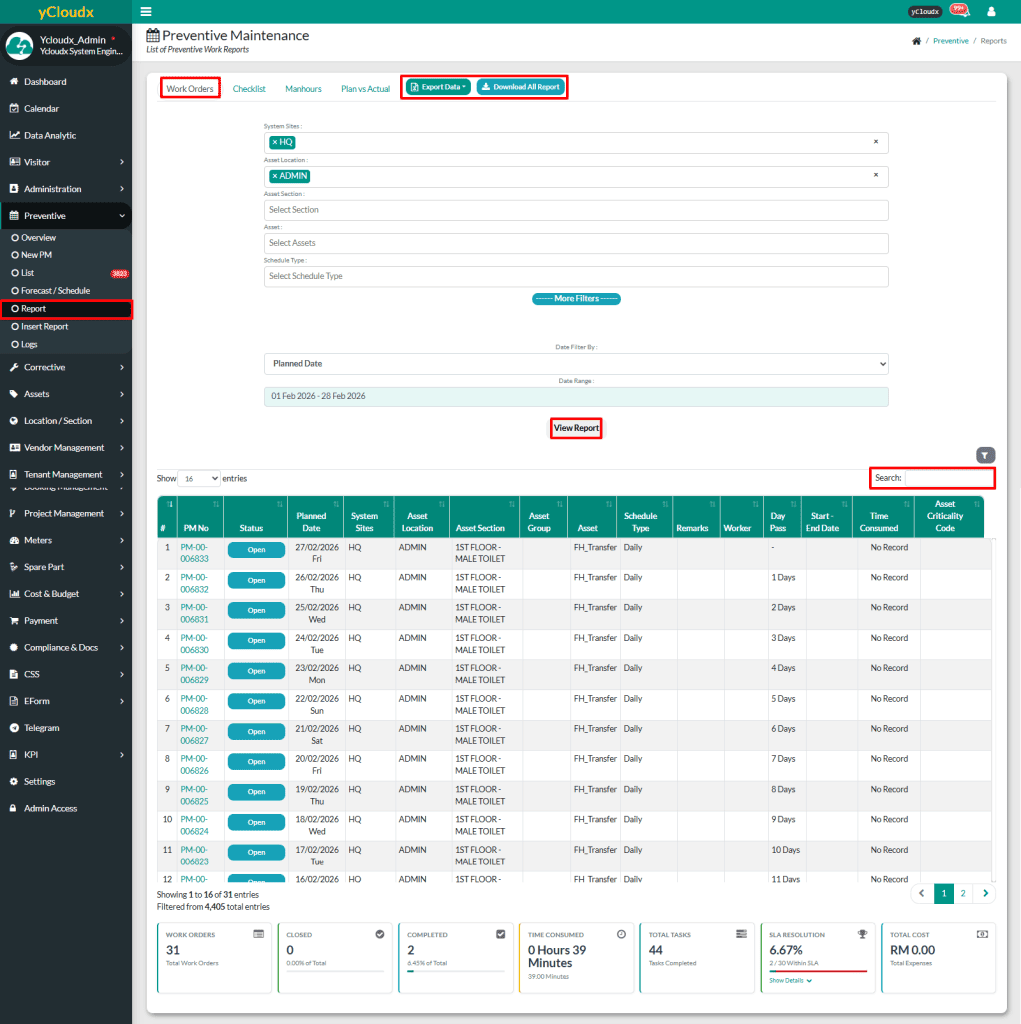
- Proceed to Preventive > Report
- Click Work Orders button (Default)
- User able to select the System Site, Asset Location, Asset Section, Asset and Schedule Type
- User also able to apply additional filters by clicking the More Filters button (Category, Status, Workers, Asset Criticality Code, etc)
- User can choose the start and end dates for the data to be displayed
- Then, click View Report button to display the selected data based on the chosen filters
- After clicking View Report, user able to view the report in a list format and summary tables categorized by asset, location, section, group, category, status and type
- User able to search information using multiple parameters in search field
- User can export data to Excel by selecting Export Data button
- User also able to download all report by clicking the Download All Report button