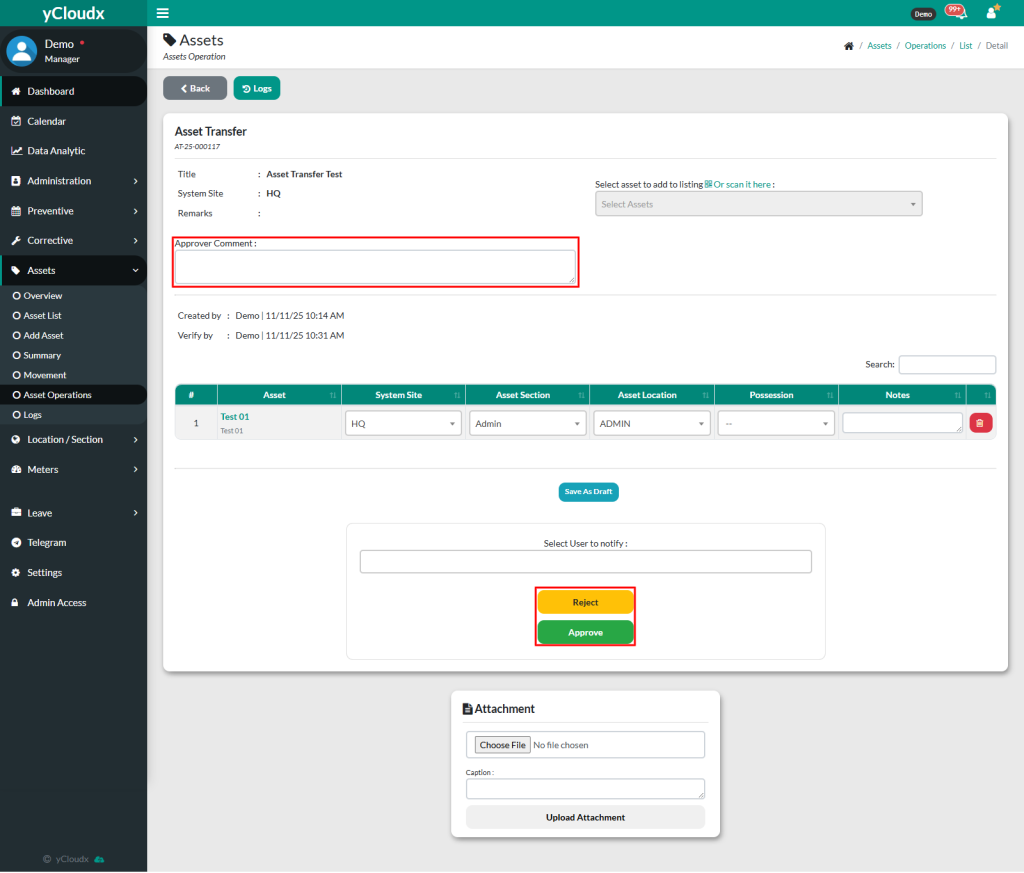
User able to insert their comment as an approver for each asset transfer. The comment will be visible to anyone who views the asset transfer details
Once all details have been confirmed, user can click Approve button. The status will be updated from Verify to Approved.
User also able to reject the request by clicking the Reject button, a pop-up will appear for the user to insert a reason for rejection. Once submitted, the status will be updated to Pending: Rejected