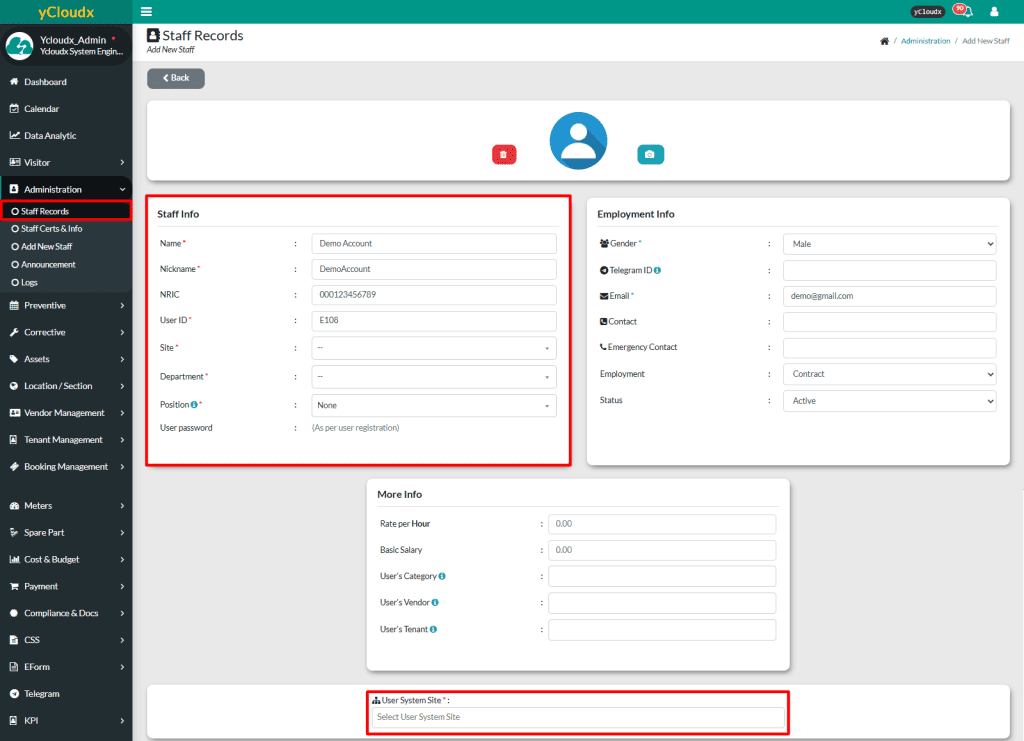
Proceed to Administration > Staff Records > Pending Staff
Select which requested user to be approved
Admin needs to review Staff Info, including Name, Nickname, Site, Department and Position. Other fields are optional, but it is recommended to check them all
Admin needs to set access control and ensure it is correctly configured based on the user’s position
Once all details have been verified and entered accurately, admin can either Add the user to the system or Delete it if necessary