How Can We Help?
How to Check Claim Record?
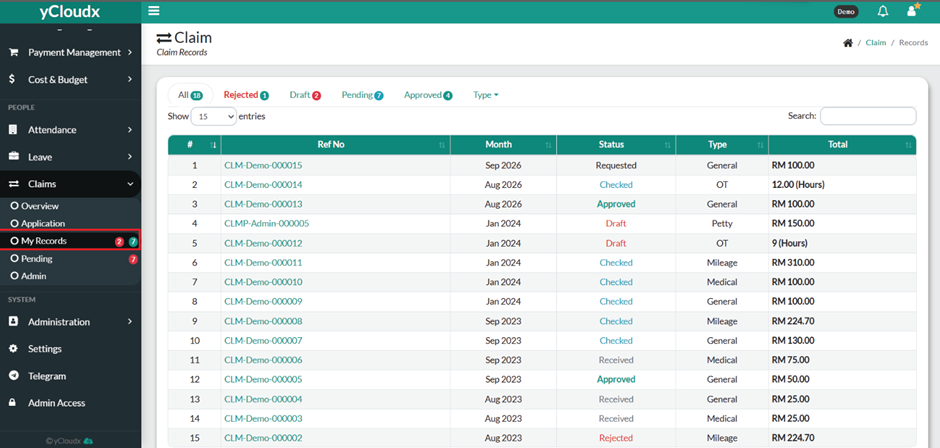
- Proceed to Claims > My Records.
- Review the list of submitted claim applications.
- Locate the desired claim using the Reference Number (Ref No.), Claim Type, Request Date, or Status.
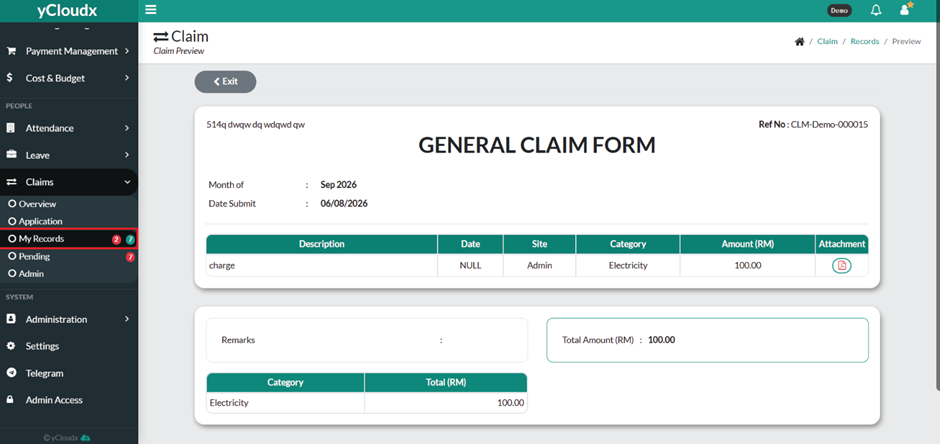
- Click the Reference Number or the claim record to view its details.
- Review the claim information.
- Current approval status (e.g., Requested, Checked, Approved, or Rejected)
- Monitor the application status until the claim has been fully processed.