
Skip to main content
How Can We Help?
How to add digital signature?
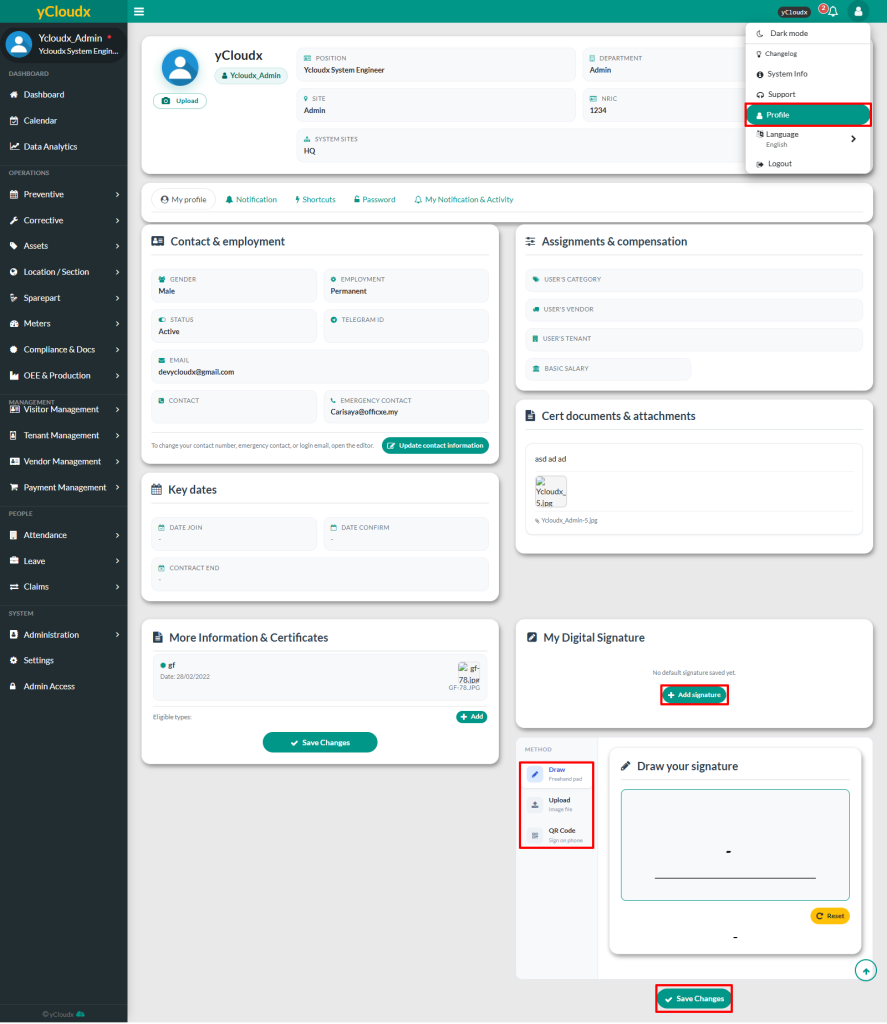
- Click Avatar or User icon at the top right of the page, then select Profile to be redirected to the user information page
- Click Add Signature and add your digital signature
- There are three (3) methods available to add the digital signature which are Draw, Upload Image and QR Code (Sign on phone)
- Click Save Changes to confirm
- User able to click Edit to update the signature if needed or click Delete Saved to remove the signature
- A popup notification will appear once the digital signature has been added, updated or deleted